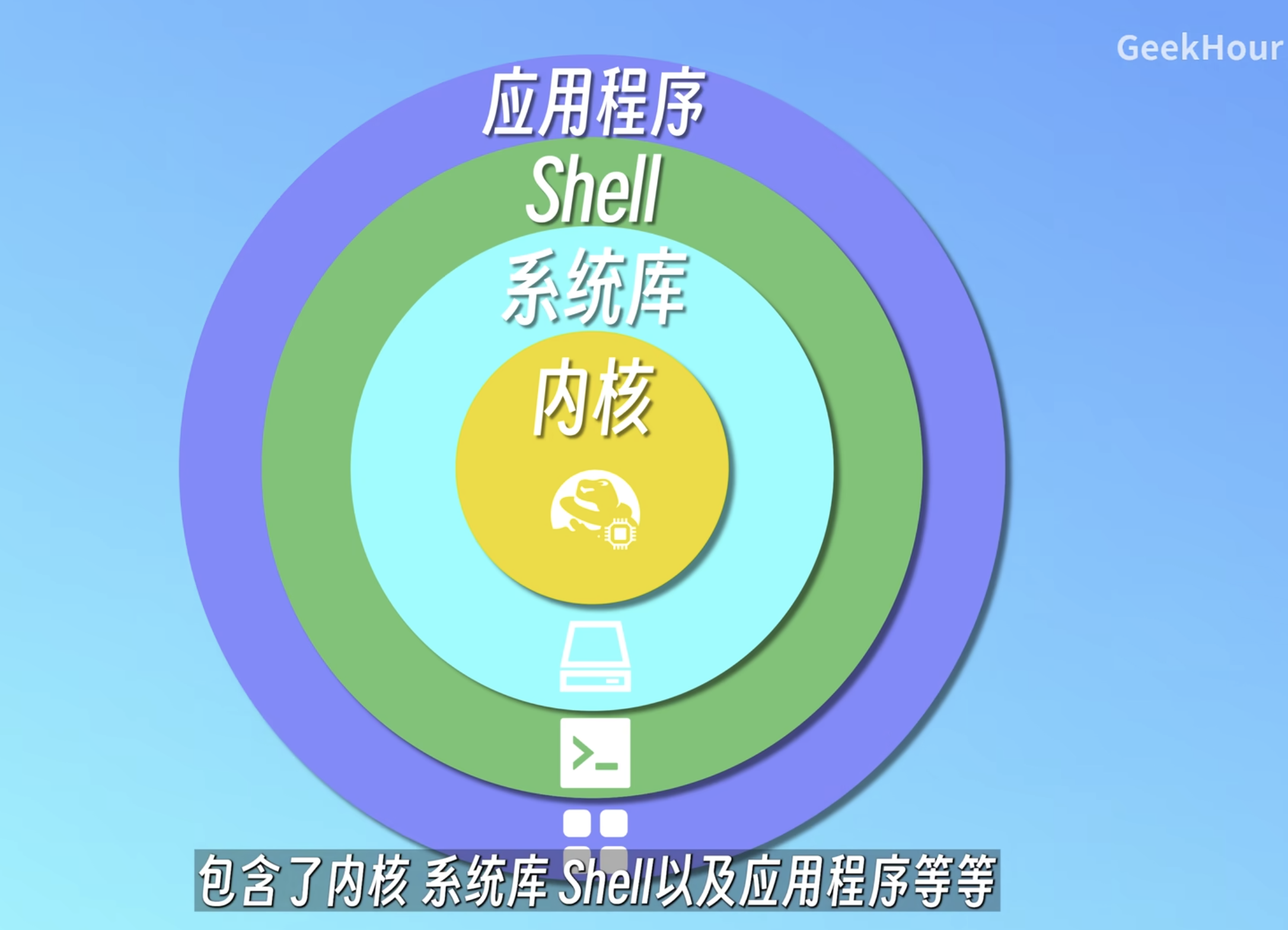
The shell is used to accept user commands and pass them to the OS for execution

image.png|500
Basic Navigation and Viewing
pwd
pwd, displays the absolute path of the current directory
---
ls
list, lists files in the current directory
Parameters:
-l lists attributes of each file, usually aliased as ll
--- Attribute details:
- File type:
-: Regular file (e.g.,1.txt)d: Directory (e.g.,test)l: Symbolic linkc: Character device fileb: Block device files: Socket filep: Named pipe ---
- File permissions:
- Divided into three groups, each with three characters, representing permissions for the file owner, group users, and others
- Each group of characters is
rwxrepresenting read, write, and execute permissions; if a permission is missing, use-instead. For concise representation, assign numbers4\2\1tor\w\x---
- Number of hard links:
- For files, indicates how many filenames point to this file's
inode - For directories, usually 2 + number of subdirectories. Each directory has
.pointing to itself and..pointing to the parent directory ----alists all files, including hidden files. .. .env 1.txt test--- ### cd c, enter a directory
- For files, indicates how many filenames point to this file's
As mentioned earlier, .. represents the parent directory
cd - represents entering the previous location
---
tree
tree [] displays the structure of directory []
---
File and Directory Operations
---
touch
touch, touch, update timestamp, but can also create files
---
mkdir
mkdir, create directory
---
cat
cat, output the contents of a file
---
less
less, view a file, can scroll up and down, press q to return
Only reads and displays the portion needed for the screen
g beginning G end
% or p jump by percentage
/pattern search forward, ?pattern search backward, n next match, N previous match
F continuously monitor new content at the end of the file, similar to tail -f
---
more
more, view a file, cannot scroll up, press q to return
Loads the entire file into memory at once before displaying
---
head
head, output the beginning of a file
head --lines=n file outputs the first n lines of file
---
tail
tail, output the end of a file
tail --lines=n file outputs the last n lines of file
tail -f continuously view subsequent content
---
cp
cp source destination copy files or directories
---
mv
mv source destination move, can also be used to rename
---
rm
rm, delete
rm -r recursive delete, used for directories
---
ln
ln, link
ln -s source destination symbolic link (soft link), does not store the file, just a shortcut file
ln source destination hard link, pointer to the source file, shares the same inode, can be considered a reference, can only point to files
---
Permissions and Search
---
chmod
Modify permissions
u\g\o represents the three group permissions
chmod u+x file represents giving the owner execute permission
Can also be modified using numbers, e.g., chmod 744 file
---
file
file, what file type, e.g., 1.txt: ASCII text
---
where/which/whereis
where, find where the file is
---
Output, Pipes, and Editing
---
echo
echo, output to command line, note that special characters should be wrapped in " "
> redirect standard output to file, e.g., echo "1" > 1.txt
>> append to file
< redirect standard input from file
---
pipe
command1 | command2 | command3 the standard output of one command serves as the standard input of another command
ls -l | grep "*.txt"
cat blog.log | grep "ERROR" | less
---
nano
Crtl+X exit, Crtl+O save
---
vim
In command mode, :wq save and exit, :q! force quit, [n]yy copy n lines, [n]p paste n times to the line below the cursor, dd cut/delete
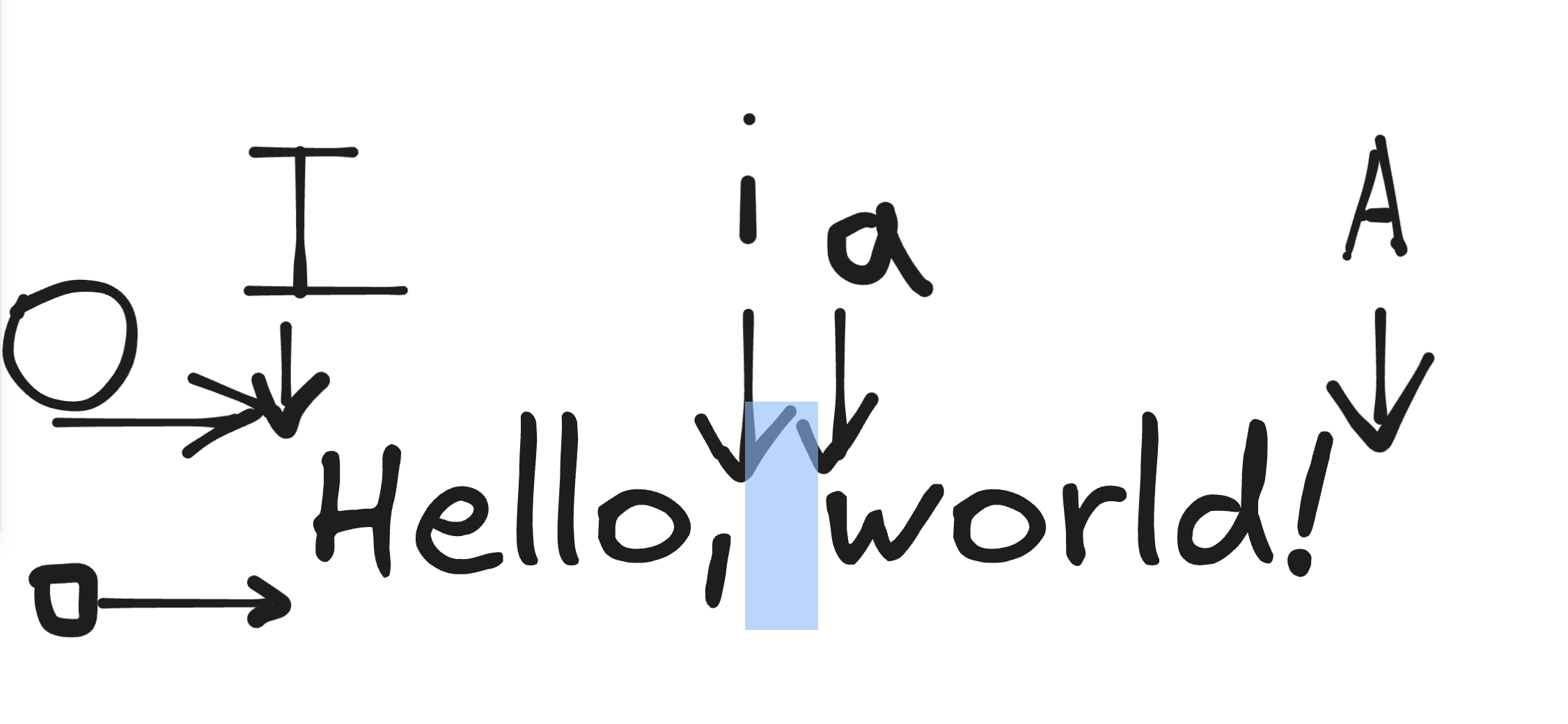
In command mode, enter i\a\o\I\A\O to enter insert mode; in insert mode, esc enters command mode
---

image.png|500
In insert mode, ^ can jump to the beginning of the line, $ jump to the end of the line
In command mode, enter : to enter last-line mode; in last-line mode, esc\enter enters command mode
---
Variables and Wildcards
---
shell
Define a variable variable=value and it's defined, can be viewed using echo ${variable}, braces are used to prevent ambiguity
Prefix removal, e.g., ff=week01, echo ${ff#week} outputs 01
Remove suffix %
? represents a placeholder for one character, * refers to a placeholder for any characters
---
for i in $(seq 1 10) sequence from 1 to 10
for ((i=0;i<10;i++)) C-style loop
Batch rename